Top 5 best online meeting platforms of 2022
BusinessMobiles.com logo

TOP 5+ Best Online Meeting Platforms in 2025 and Beyond

Table of Contents

Take a look at our Top 5+ of the best online meeting platforms and take back control of your business. Following the recent pandemic situation, businesses around the world had to step away from their office and learn to work remotely. For those who are new to this system, the biggest challenge is to keep their team connected as if they were in the office together. So, what are the solutions?  

Online meeting platforms have become essential for companies, educational institutions, and social gatherings in the age of remote work and worldwide connection. It is safe to say that the COVID-19 pandemic sped up their diverse adoption. Fortunately, these innovative apps are here to stay, and their ongoing development guarantees that they are still applicable.

If you are searching for the perfect application for your activities, you will find inspiration from this post. We’ve taken the best meeting apps, paying particular attention to their special features, advantages, and usability.  

So, let’s take a closer look at the top 5+ online meeting platforms for 2025 and beyond:

The Best Online Meeting Platforms In 2025 – Key Takeaways/Overview:

Microsoft Teams, Slack, GoTo Meeting, Zoom, Jitsi – these are the platforms worth mentioning among the countless apps for communication, calls, and online meetings. If you are too busy to continue reading the full review, here are some key takeaways for you:

  • Microsoft Teams: Best for integration with productivity tools.
  • Slack: Best for channel-based communications with team members.
  • GoTo Meeting: Best for customizable video meetings online.
  • Zoom: Best for organizing quick and productive video calls.
  • Jitsi: Best open-source platform for those looking for a free alternative.

The landscape for online meeting platforms is a lot more diverse. However, choosing one of the apps from our list will secure the most adequate outcome for success. Whether it is business, schooling, or project management – with the best virtual meeting platforms you can never get it wrong.

Time to dive into the fascinating world of these innovative apps… Are you ready?
1 – Microsoft Teams 

Microsoft Teams best online meeting platform

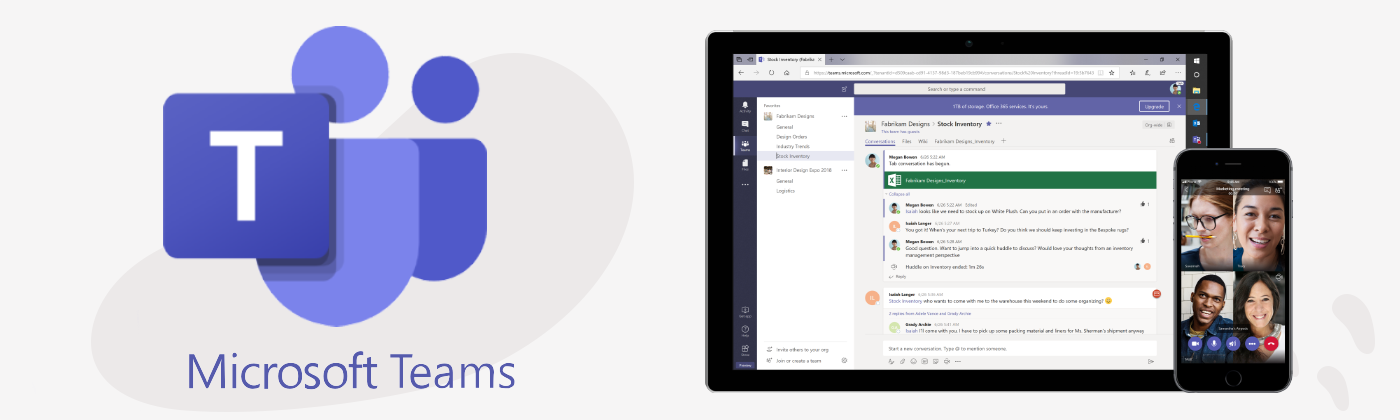
Let’s start with our favourite tool and easily one of the best online meeting platforms of 2025. Microsoft Teams is an application that pretty much moves your entire office on to a virtual platform. It allows private and group chats, audio & video meetings, file storage, screen sharing and recording, calendar link, and the whole Microsoft 365 is suitable for integration. Microsoft Teams is perfect for internal communication.

Pros

Diverse & robust options for team collaboration
Microsoft 365 / Office Integrations
Very cost-effective

Cons

Less intuitive UI
Microsoft-oriented (not the best for other users)

Key Features

  • Smooth Integration: Microsoft Teams is an obvious choice for businesses already involved in the Microsoft ecosystem. That is due to its seamless integration with other Microsoft programs, including Outlook, SharePoint, and OneDrive.
  • Collaboration Tools: Teams provide instantaneous document collaboration, file sharing, and chat all from a single interface.
  • Flexibility in Meetings: This online platform facilitates a variety of meeting styles, ranging from private conversations to extensive webinars. Its breakout room function makes for productive group conversations.
  • Security and Compliance: MS Teams provides industry-standard data encryption, safe guest access, and enterprise-level security.

Microsoft Teams Free Software Version

Group calls to 60 minutes and 100 participants.

Microsoft Teams Plans & Pricing

Microsoft Teams is included in Microsoft 365 plans starting at £3.80/month/user including a limit of 300 meeting participants to £17.60/user/month up to 10,000 participants. 

When it comes to the best online meeting platforms in 2025, the king is undeniable. Microsoft Teams has made a name for itself as the industry standard for virtual teamwork. Being a component of the Office 365 package, the app offers companies and organizations a unified experience by integrating seamlessly with other Microsoft products.

Go to the official MS Teams website to learn more. Do not forget to check out our guide to this online meeting platform as well!
2 – Zoom 

Zoom video conference meeting platform

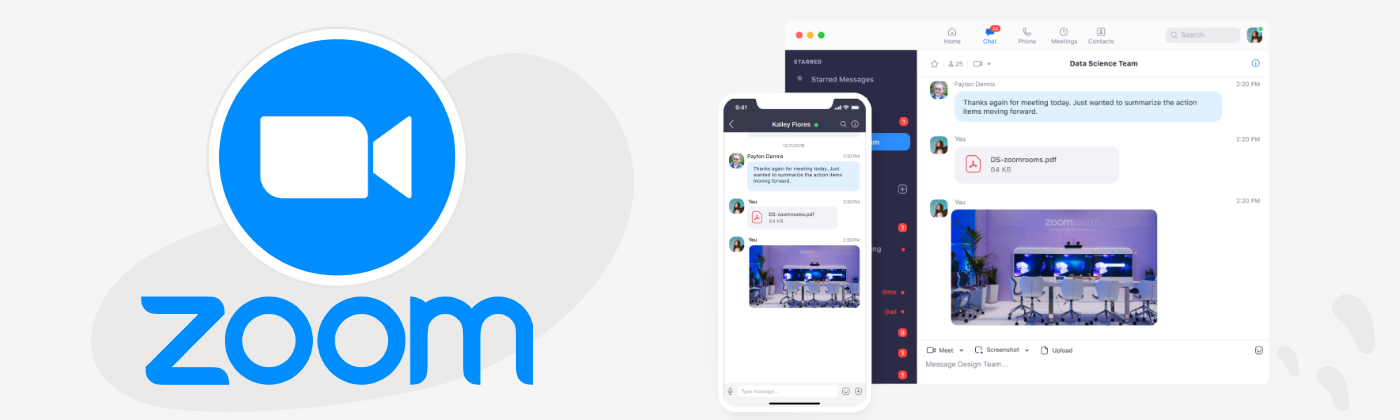
Moving on to a close second as one of the best online meeting platforms; Zoom is the #1 video conferencing app providing high-quality video and audio meeting, real-time messaging, content and screen sharing, and business apps integration.

It is very popular with over one million meeting participants every day. Zoom is ideal for meeting with external collaborators as it is easy to join a meeting with one click!

Pros

Supports large audiences (up to 1,000 participants)
High-quality audio & video

Cons

Quite limited features for team collaboration
Expensive subscription plans for larger businesses

Zoom Plans & Pricing

  1. Free version: 100 participants, 40 minutes limit group meeting – Unlimited one-on-one meetings. 
  2. Pro: (Up to 100 participants) for £11.99/month/license
  3. Business: (up to 300 participants) for £15.99/month/license
  4. Zoom United Business: (Meetings, phone, chat) for £24/month/license
  5. Business Plus: (10-99 users) priced individually
  6. Enterprise: (100+ users) priced individually.

During the COVID-19 pandemic, Zoom was the most well-known virtual meeting app. As a matter of fact, it quickly became a synonym for remote work and schooling. Even nowadays it still is one of the most often-used video call platforms. Because of its adaptability and simplicity, it is a standard for numerous businesses, schools, as well as social gatherings.

Start using Zoom today. Looking for more? Read our list of the best team work apps for staying connected now!
3 – Slack  

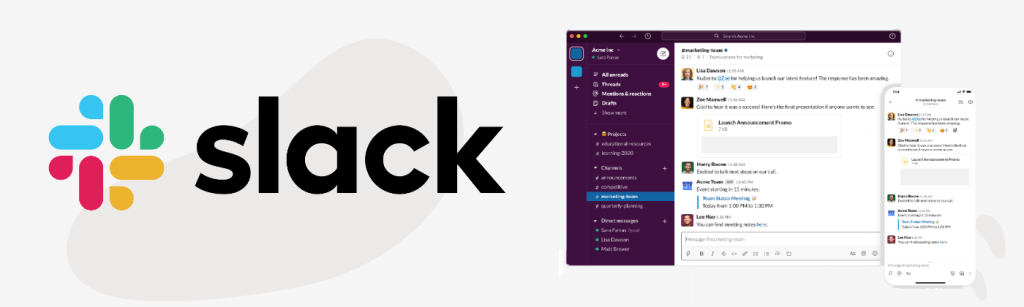
Slack virtual team messaging platform

Slack is focused on informal and quick communication, remaining one of the best online meeting platforms of 2025. Its popular features are instant messaging, conversations organisation by channels, and file transfers, among others. Slack can also be linked with over 2,000 services. It is a good alternative to Microsoft Teams for businesses who rely on Google Drive.

Pros

User-friendly interface
Wide selection of collaboration tools
Very cost-effective

Cons

Difficult to keep track of existing and older conversations
Limited to 15 participants per video/call
Requires a fast & stable connection

Key Features

  • Channel-Based Communication: Teams may concentrate on particular subjects or projects by using Slack’s channel-based communication system.
  • Integrations: Users can personalize their workflow by integrating the platform with a great number of external apps.
  • Video and Voice Calling: Slack lets users communicate directly within the platform with its video and voice calling features.
  • Customizable Workflows: Users are allowed to increase their productivity by automating repetitive processes with Slack’s workflow builder.

Slack Plans & Pricing

Choose from three subscription plans:

  1. Free: 90-day access, one-on-one audio/video calls only, 10 integrations, 1 workspace.
  2. Pro (£5.75 a person monthly)
  3. Business+ (£9.75 a person monthly)
  4. Enterprise Gold (contact Slack Sales for inquiries)

Find the right Slack plan for your activities, and remember to familiarize yourself with its features for successful online communication.

Slack began as a platform for group chats but has developed into a feature-rich application for teamwork. The app includes video calling capabilities, which makes it a flexible platform for remote work. Its most amazing feature is, however, the seamlessness in messaging and sharing tasks between team members.
4 – GoToMeeting  

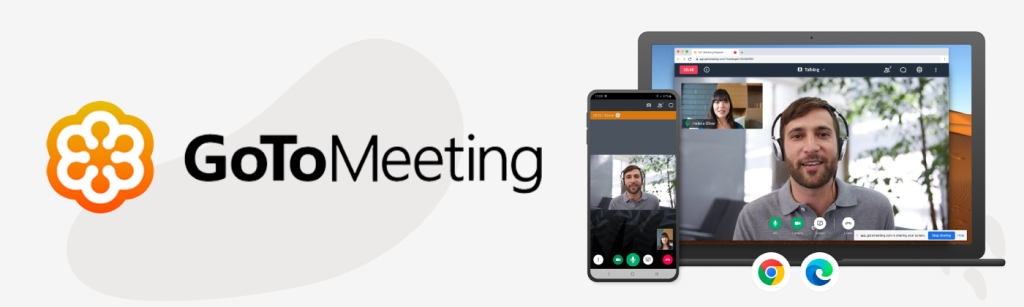
GoToMeeting online meeting platform review

GoToMeeting is a robust online meeting and video conferencing tool designed to enable businesses to collaborate with their teams and customers in real-time via the Internet. It also has a one-click meeting feature that instantly schedules meetings in Google Calendar or Outlook.

GoToMeeting should definitely be taken into consideration if you’re on the lookout for a new video-conferencing software alternative to Zoom. It may not be #1, but it’s still one of the best online meeting platforms available.

Pros

Great integration with Outlook for sending invitations
Easy for beginner users to join meetings

Cons

The free plan could offer more features
Some users report in-app reliability issues

Key Features

  • High-quality Audio & Video: They are given first priority by GoTo conference, guaranteeing a seamless conference experience.
  • Screen Sharing & Drawing Tools: The platform lets users annotate during meetings by sharing their screens and using drawing tools.
  • Recording & Transcription: GoTo Meeting has facilities for recording and transcribing, which makes it simple to go back and review significant conversations.
  • Custom Branding: Companies may add their branding to the platform, providing partners and clients with a more professional experience.

GoTo Meeting Plans & Pricing

  1. Free: Meetings up to 40 minutes and with up to 3 participants, 14-day GoTo Meeting Business free trial.
  2. Professional (up to 150 participants) for £9.50/organiser/month
  3. Business (up to 250 participants) for £12.67/organiser/month
  4. Enterprise (up to 250 participants) is priced individually upon contact.

An established player in the best online meeting platforms market, GoTo Meeting is renowned for its dependability and user-friendliness. It offers a variety of features intended to make virtual meetings easy for companies of all sizes. Those who prefer customization in video calls will love what the developers have prepared in the app.

Explore the existing GoTo Meeting plans, and be sure to compare the app with our other best online meeting platforms!

5 – Jitsi

Screenshot of four users having a video call using Jitsi online meeting platform

Next up on our list of TOP 5+ online meeting platforms of 2025 is Jitsi, an open-source app. Its unique features prioritize flexibility and anonymity. If you are concerned about your privacy online and would like to enjoy a personalized meeting experience, this conferencing platform might be the perfect choice.

Pros

Organizing and participating in meetings is completely free
Accessibility on all kinds of devices

Cons

Requires a fast and stable internet connection
Not very useful in large-scale companies

Key Features

  • Open Source: Because Jitsi is open-source, users can host their own servers and alter the platform to suit their requirements.
  • No Account Needed: Attendees may easily connect by joining meetings without having to create an account.
  • End-to-End Encryption: A unique feature that Jitsi provides to improve security and privacy.
  • Custom Deployments: Jitsi may be installed on users’ servers, giving them complete control over security and data.

Jitsi Plans & Pricing

The open-source online meeting platform is completely free of charge. Just go to the official website to download the app and start using it without a fuss.

We encourage you to discover all the open-source options available in the Jitsi app. Download the virtual meeting platform and start using it for free.
6 – Google Meet 

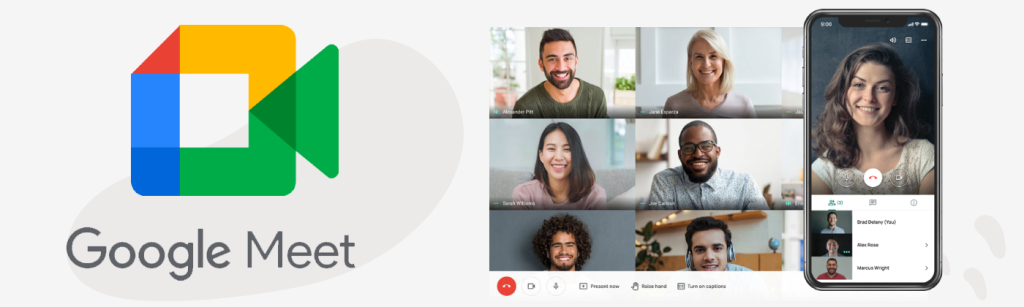
Google Meet best online meeting platforms

Google Meet is a video conferencing solution that is perfect for Google users. It integrates seamlessly with all the apps included in Google Workspace. It is built on Google’s robust and secure global infrastructure. Meetings are easy to set up and join with one link.  

Although last on our list, this app should not be underrated, remaining one of the best online meeting platforms for businesses and friends.

Pros

Integrated with Google Workspace and Chrome extension
Anyone can join a meeting, even if they don’t have a Google account (paid plans)

Cons

Google-centric setup that won’t suit everyone
Low amount of participants compared to other apps

Key Features

  • Integration with Google Workspace: Google Meet offers a smooth integration with Gmail, Calendar, and other Google services.
  • Superior Audio & Video: This online meeting platform provides excellent audio and video, guaranteeing a seamless meeting encounter.
  • Security & Compliance: The app offers data encryption, industry-standard compliance, and enterprise-level security.
  • Closed Captioning & Live Transcription: Two amazing tools that Google Meet provides to improve accessibility.

Google Meet Plans & Pricing

  1. Free: One-on-one calls for up to 24 hours or calls with 3 or more participants for up to 60 minutes.
  2. Business Starter: 100 participants, 30 GB storage – £5.00 a month
  3. Standard: 150 participants, 2 TB storage – £10 a month
  4. Plus: 500 participants, 5 TB storage – £15.00 a month
  5. Enterprise: 1000 participants, 5 TB storage – priced individually.

Is there anyone who has not heard about Google Meet before? Being a part of the well-developed Google Workspace, this online meeting app is renowned for its integration with other firm software.

This platform is the perfect choice for all those, who enjoy Google’s innovations. However, there are users who find this app overrated, as it sometimes faces stability issues. Either way, it is worth mentioning that Google Meet is among the best online meeting platforms in 2025.

FAQs

What is the best online meeting platform in 2025?
The best online meeting platform largely depends on your needs. Microsoft Teams is ideal for internal collaboration within organizations, while Zoom, GoToMeeting, and Google Meet excel in hosting large external meetings and webinars. Slack is great for team messaging and quick collaboration, and Jitsi is perfect for those who prefer open-source, privacy-friendly options.
Is Microsoft Teams free to use?
Yes. Microsoft Teams offers a free version that supports up to 100 participants for 60-minute group calls. For larger organizations, paid plans are included with Microsoft 365, starting at £3.80/month per user.
What are the main differences between Zoom and Microsoft Teams?
Zoom focuses on simple, high-quality video conferencing and external collaboration, while Microsoft Teams integrates deeply with Microsoft 365 for complete workplace collaboration — including file sharing, chat, and project management tools.
Can I use Google Meet without a Google account?
Yes. Non-Google users can join Google Meet meetings if they’re invited to a meeting organized by a paid Workspace user. However, free Google Meet accounts require a Google login to host or create meetings.
Which platform is best for small teams or startups?
For small teams, Slack is often the best choice due to its user-friendly interface, integration options (over 2,000 apps), and affordability. If you prefer video-focused meetings, Zoom’s free plan or Google Meet are excellent alternatives.
Are there any free and open-source online meeting platforms?
Yes. Jitsi is a completely free and open-source online meeting platform. You don’t need to create an account, and you can even host it on your own server for maximum privacy and control.
Which online meeting app supports the largest number of participants?
Microsoft Teams allows up to 10,000 participants in its highest-tier plans, making it one of the most scalable options. Zoom Enterprise also supports large audiences of up to 1,000 participants.
What’s the best option for companies using Google Workspace?
If your company already uses Google Workspace, then Google Meet is the most seamless choice. It integrates directly with Gmail, Calendar, and Drive, allowing easy scheduling and file sharing.
Is GoToMeeting still a reliable option in 2025?
Yes. GoToMeeting remains one of the most dependable video conferencing tools for professional use. It’s known for its ease of use, integration with Outlook, and custom branding options for businesses.
Which online meeting platform offers the best security?
Microsoft Teams, Google Meet, and Jitsi stand out for their strong security and compliance standards. Teams and Meet use enterprise-grade encryption and compliance tools, while Jitsi offers end-to-end encryption and private server hosting options.

Conclusion  

These five platforms are very useful and they all have pros and cons to take into consideration. The choice is yours and it depends on your own needs. Zoom, GoToMeeting and Google Meet are more used for Video conferencing meetings, especially with external guests. Microsoft Teams and Slack have proven their efficiency for day-to-day collaboration within your organisation.

Each app has its own benefits and features that meet the various demands and tastes of its users. Get to know every single platform, and choose the perfect one for your business activities or day-to-day communication.

Looking for some hardware? See our post on the Best Mobile Phones for Business of 2025, or find out how to get a UK business number for free!

Which app are you using to communicate with your team? Let us know in the comment section below, or get in touch with our team today.

Picture of Angelique Caracciolo
Angelique Caracciolo
Angelique Caracciolo is a Marketing Manager at BusinessMobiles.com, passionate about tech, innovation, and global culture. Since 2020, she’s helped shape creative strategies in the B2B telecoms space. With experience living and working in six countries, Angelique brings a fresh, international perspective to everything she does.

Share this article

Facebook
Twitter
Pinterest
LinkedIn
BusinessMobiles.com logo

Business deals from just £7.50 per month!

Get up to 57% off Network prices across EE, Three, Vodafone and O2 with the UK’s best deals on:

Related Articles

Shopping cart0
There are no products in the cart!
Continue shopping
0