Dropping your iPhone in water can lead to muffled audio, but you can often clear the speaker grills using sound-based ejection techniques. In this post, we explain how the Water Eject shortcut works, provide steps to safely remove moisture, and warn against common mistakes like using rice or heat. This guide provides the tools to restore your audio quality without needing an immediate trip to a repair shop.
Jacob Williamson
recommends 💡
Don’t rely on third-party apps for long-term maintenance! If you find yourself in situations where your device frequently gets wet, use the official Apple Shortcuts app for a native, secure solution. Most importantly, avoid the urge to use hair dryers or compressed air. The heat and pressure can cause more damage than the water itself, potentially forcing liquid deeper into the device.
Want a real person to sort your mobile setup?
Book a free 15-min call with a UK business mobile expert
What's covered
A submerged iPhone can be a stressful experience, but modern devices are surprisingly resilient. When water enters the speaker housing, it can distort sound quality, leading to a muffled or crackling audio experience. Fortunately, you do not always need to visit a service centre to resolve this. By using specific low-frequency tones, you can vibrate trapped moisture out of the speaker grills safely and effectively.
In this guide, we walk you through the process of using the Water Eject shortcut. We explain the exact steps to initiate the sound sequence, how to position your device for the best results, and the crucial “do nots” that will prevent further hardware damage. If you have recently had an accidental splash, follow these instructions to help your iPhone recover its clear sound.
In this guide, we’ll show you proven methods on how to get water out of your iPhone speakers, such as using the Water Eject shortcut feature. Whilst we’ll focus on iPhone-specific tips, many principles apply to other devices too. So, let’s dive in (pun intended)!
If you’ve ever dropped your phone in water or gotten it wet during a swim, you know the panic that sets in. Common searches like “how to get water out of phone,” “water eject shortcut,” and “iphone water eject” spike during summer months when pool parties and beach trips are in full swing. The good news? Modern iPhones and smartphones are water-resistant, but water trapped in the speakers will still muffle sound and cause frustration.
💧 Why iPhone Speakers Get Muffled After Water Exposure
Even with an IP68 water resistance rating, water droplets can get trapped inside the speaker mesh or grills. That’s why your audio might sound crackly, distant, or distorted, especially right after a drop or splash.
The good news? You don’t need fancy tools. There are plenty of methods to remove water from your phone. Ignoring it might lead to corrosion over time, so acting quick is key for keeping your device reliable for work.
This is where our water eject methods come in. These are sound/vibration-based techniques designed to push moisture out from your speaker using carefully tuned frequencies. They’re safe, effective, and often used by thousands of iPhone users worldwide.
🚀 Fastest Fix: Use the iPhone’s Water Eject Shortcut
So, you actually did it… you got water in your iPhone speakers?! The easiest way to clear water from your speaker is by using a custom Shortcut that plays a low-frequency tone designed to force water out. Here’s how to do it:
✅ How to Use the Water Eject Shortcut:
Open the Shortcuts app (pre-installed or download it from the App Store).
Search for “Water Eject” Shortcut from on either the App/Play Store
Add the Shortcut to your library.
Tap “Begin Water Eject”. Your iPhone will emit a series of vibrations and sounds.
After 10–15 seconds, stop the shortcut and test your speaker by playing music or making a call.
This is the most popular solution for removing water from iPhone speakers, and it’s 100% free. In some cases, you may need to leave Water Eject running for a few minutes.
💡 Bonus Tip: This also works great if your speaker sounds muffled due to dust buildup.
This method is a go-to solution for ejecting water from your phone speakers. It also works great for clearing dust buildup, which can affect audio quality during important business meetings.
If you’re an AirPods user wondering how to eject water from your AirPods, try a similar approach; gently shake them and use the shortcut on your connected iPhone for vibration help.
🔊 Manual Methods to Remove Water from Phone Speakers
If you don’t want to use Shortcuts, you can still achieve similar results in removing water from your phone speakers. These use apps or online tools to generate the right frequencies, along with some physical solutions…
🎧 1. Play a Water Ejection Sound
Go to YouTube and search for a “165Hz water eject sound.” Play it at full volume, with your speaker facing downward on a towel to help gravity draw out the moisture. Let it run for 2–3 minutes.
📱 2. Use a Water Eject App
Apps like “Clear Wave” or “Water Eject” (available on the App Store) are designed to vibrate the speaker using sound pulses. They’re simple to use and a great tool to keep on hand if you work in wet environments.
🎵 3. DIY Vibration Trick
In a pinch, play a bass-heavy song or set your alarm volume to max. Repeated vibrations can sometimes dislodge water without any external tools.
✋ Android user? These same sound-based tricks and apps are available on Google Play as well (we love all mobiles here!)
🛠️ Essential Tips for Getting Water Out of Your Phone Speaker
So, now you know how to get water out of your iPhone speakers, you should keep these important tips in mind:
Act quickly. Don’t let water sit inside your phone speakers for long; corrosion can develop.
Turn off your phone right after exposure to avoid short-circuiting internal components.
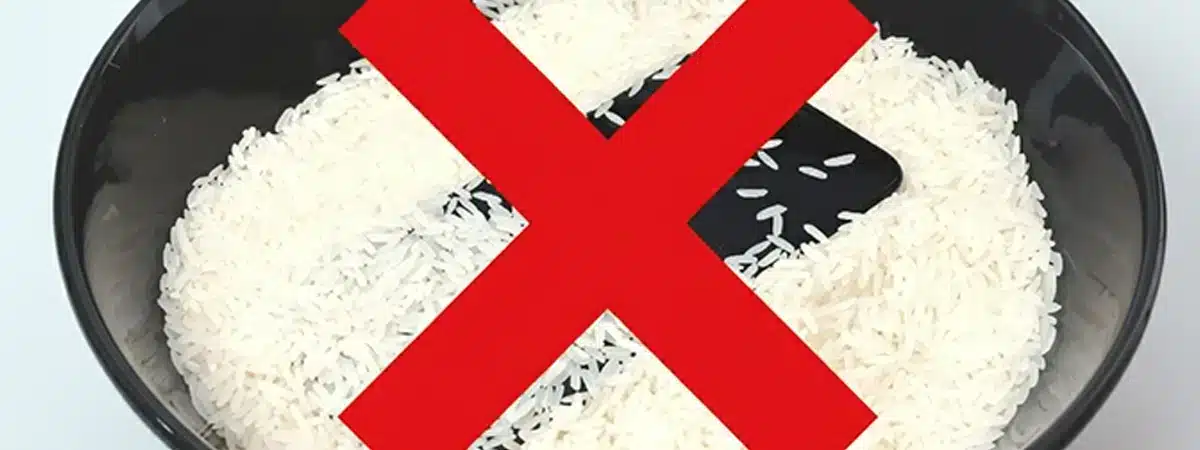
Avoid common myths: Skip putting your phone in rice; it can leave behind particles that cause more harm. Instead, let it air dry in a well-ventilated spot for 24 hours.
Use a microfiber cloth to pat the phone dry and avoid heat sources like hairdryers. If water’s in the charging port, tap the phone gently port-down.
Let your phone air-dry in a ventilated room for 24 hours if needed.
Volume up: Always max out your volume before running any sound-based method for stronger vibrations.
When it’s serious: If sounds stay muffled after trying these, it might be deeper damage. Head to an authorised repair shop to keep your business running smoothly.
These steps also cover how to get water out of speakers on other phones and devices, like tablets, laptops or Bluetooth speakers, just adapt the vibration idea.
❓ What If Water Got Inside the Phone, Not Just the Speaker?
Now that you’ve got the water out of your iPhone, here’s what you should do if you’re dealing with a full-on dunking situation (e.g., pool or toilet):
Power down your device immediately.
Remove any case or screen protectors.
Dry off visible moisture gently with a lint-free cloth.
Use the Water Eject method to clear the speakers.
Let it rest upright in a dry space (with silica gel if available).
Wait 24–48 hours before powering it back on.
This can help prevent long-term damage and reduce the need for repairs if water gets in your phone. Of course, most modern mobile phones feature impressive IP waterproof ratings and can even be submerged in metres of water!
Remember, no more rice!
✅ Wrapping Up: Keep Your Phone Dry and Your Business Thriving
There you have it, all the ways to tackle your water eject woes and get your phone speakers crystal clear again. From quick Water Eject shortcuts to sound-based DIY tricks, these solutions help keep your phone performing when you need it most.
If you’re using your phone for business, clear audio is crucial. So treat your device well—and consider a waterproof case for extra peace of mind.
If we’ve not covered your question here, Book A 15-Min Call with our team to talk about your mobile needs.
How do I get water out of my iPhone speaker quickly?
The fastest way is to use the Water Eject Shortcut in the Shortcuts app. It plays a low-frequency tone that vibrates and pushes water out of your speaker grill. Other options include using YouTube ejection sounds or water removal apps.
Can sound remove water from a phone speaker?
Yes. Playing low-frequency tones (typically around 165Hz) creates vibrations that help push water out of the speaker cavity. This method is safe and commonly used on both iPhones and Android phones.
Is the iPhone water eject shortcut safe to use?
Absolutely. The shortcut simply plays a specific frequency and does not access sensitive hardware or personal data. It’s a safe and non-invasive method for water removal.
What should I do if my iPhone speaker still sounds muffled after using water eject methods?
If audio is still distorted after trying sound or vibration-based solutions, the water may have reached internal components. Power off the device and let it air dry for 24–48 hours. If issues persist, consult a certified repair technician.
How long does it take to dry out iPhone speakers?
With sound-based water ejection methods, your speakers could clear up in as little as 5 minutes. For deeper water exposure, allow 24–48 hours of drying time before checking again.
Can I use the water eject shortcut on AirPods or Bluetooth speakers?
Yes, to an extent. While you can’t run the shortcut directly on AirPods, you can play a water eject tone through them while connected to your iPhone. This may help dislodge trapped moisture.
Should I put my phone in rice to get water out of the speaker?
No. Using rice is outdated and potentially harmful. Rice particles can enter ports and create more issues. Instead, use a water eject shortcut, sound tone, or let your phone dry naturally in a well-ventilated area.
📌 The bottom line
Final Thoughts
Using sound to eject water is a highly effective way to clear your iPhone speakers, but it should be part of a broader, careful drying process. Always start by wiping your device thoroughly with a lint-free cloth and allowing it to air dry in a well-ventilated space. If the sound remains muffled after following these steps, be patient and avoid the temptation to insert objects into the ports. By following this guide and giving your phone time to recover, you can protect your device and restore full functionality.
Want more like this?
Practical advise to save on your bill, switching tips, and the latest deals worth knowing about. No spam.
Unsubscribe any time. We never share your email.
Ready to sort your business mobiles?
Two minutes is all it takes to start. Pick the path that suits you:
Business Handsets & DevicesEmerging Technology Business ConnectivityAI & Search
Jacob Williamson is a technology writer and Marketing Executive at BusinessMobiles.com, with over four years of experience in the B2B telecoms sector and six years reviewing and testing emerging tech across automotive, consumer electronics, and digital finance. Writing for an independent specialist working across EE, O2, Vodafone, and Three, Jacob focuses on the practical questions business owners and IT managers are actually asking – from handset decisions to network performance, and most things in between.