iPhone 18 Pro / Pro Max just landed. Limited stock. Order yours from £46/month >
iPhone 18 pre-order


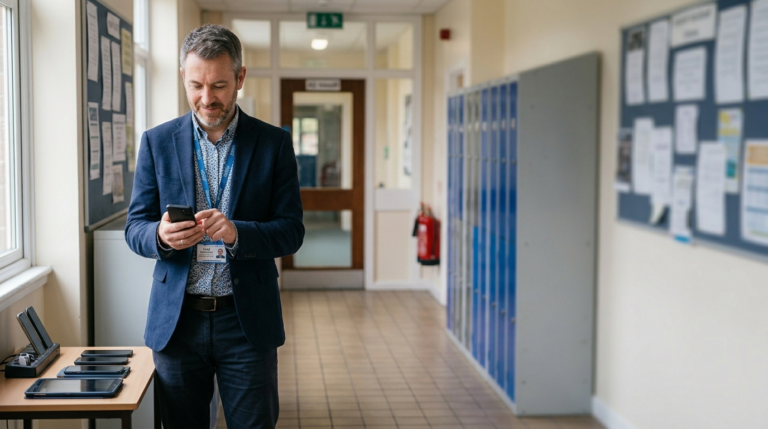







Most UK schools can cut mobile costs without losing reliability by starting with requirements, not the handset brand. The three biggest savings are the right MDM platform, shared data plans, and avoiding the premium handsets staff don’t need. For MDM, Ivanti suits most schools, with Mosyle for Apple-only estates and Intune for Microsoft and Windows-led ones.
One of the biggest misconceptions I see when working with schools is that they think the challenge is simply buying new phones. In reality, the phones themselves are often only a small part of the equation.
Recently, we worked with a school that initially approached us because they wanted to replace their mobile devices. Like many schools, they knew they needed to improve safeguarding and security, and they had heard that an MDM (Mobile Device Management) platform would help. Beyond that, however, they weren’t entirely sure what they needed, what it should cost, or how it should be implemented.
Their original assumption was that Apple devices were the obvious choice. They were familiar with Apple, had heard positive things about a school-focused MDM solution called Mosyle, and assumed that was the direction they should take. The challenge was that nobody had actually sat down and looked at what the school needed the devices to do.
When we reviewed their requirements, it quickly became clear that these were staff devices, not pupil devices. Many of the phones would be shared between teachers, department heads, administrators and staff attending school trips. These weren’t personal devices assigned to one individual. They needed to be secure, easy to manage, and capable of supporting different users without compromising safeguarding policies.
One of the first things we discovered was that the school didn’t actually need many of the premium features that drive the cost of high-end smartphones. Better cameras, for example, simply weren’t a priority. What mattered was reliability, security, ease of management and cost control.
By comparing several device options, we were able to show the school the difference in total cost between Apple devices and Android alternatives. In the end, they selected Google Pixel devices, which cost less than half the price of the iPhones they had originally considered while still delivering everything they needed.
The full range we most often put in front of schools shows how wide that gap is, and how little you give up by closing it. A lower purchase price does not mean a shorter service life. If anything the update support runs the opposite way to what most people expect, with the cheapest Android handset here committed to longer than the most expensive iPhone:
| Device | Upfront price | Per month (24-month) | Per month (36-month) | Zero-touch | Security updates from release |
|---|---|---|---|---|---|
| iPhone 16e | £403.36 | £26.00 | £18.00 | Yes | 5+ years |
| iPhone 16 | £565.00 | £37.00 | £25.00 | Yes | 5+ years |
| iPhone 16e refurbished | £385.00 | £25.00 | £17.00 | Yes | 5+ years |
| Samsung A16 4G (budget) | £89.00 | £5.71 | £3.80 | Yes | 6 years |
| Samsung A17 5G (budget) | £125.00 | £8.01 | £5.34 | Yes | 6 years |
| Samsung A26 5G (budget) | £159.00 | £10.19 | £6.79 | Yes | 6 years |
| Samsung A36 5G | £199.00 | £12.76 | £8.50 | Yes | 6 years |
| Samsung A37 5G | £249.00 | £15.96 | £10.64 | Yes | 6 years |
| Google Pixel 9a (value) | £274.00 | £17.56 | £11.71 | Yes | 7 years |
All handsets support 4G, 5G and VoLTE, and all support zero-touch deployment. Prices are illustrative and most accurate as of May 2026. The contrast is hard to miss: a Samsung A16 at £89 carries a six-year update commitment, while the £565 iPhone 16 is committed to five. A device that stays secure and supported for six or seven years has a lower real cost per year than a premium handset replaced sooner. This is why the device decision should come after the requirements, not before.
The second area where schools often overspend is mobile data.
Most schools don’t use anywhere near as much data as they think they do. Once devices are properly managed through an MDM platform, access to applications such as YouTube, Instagram and Facebook can be restricted. This dramatically reduces unnecessary data consumption and allows schools to move onto shared data plans that are significantly more cost effective than individual unlimited packages.
In many cases, shared voice and data plans are one of the easiest ways for schools to reduce ongoing monthly costs.

The biggest discussion with this particular school centred around MDM software. Like many schools, they had heard of Mosyle, a very good platform designed specifically for Apple devices and education environments. The right MDM, though, depends on what you actually need to manage. Here is what each of the three platforms we most often weigh up for schools can cover:
| MDM platform | Apple | Android | Windows | Best suited to |
|---|---|---|---|---|
| Mosyle | Yes | No | No | Apple-only school estates |
| Microsoft Intune | Yes | Yes | Yes | Microsoft and Windows-led schools |
| Ivanti | Yes | Yes | No | Mixed Apple and Android estates |
That tells you what each platform manages. Choosing between them is a separate question, and it comes down to a handful of factors worth taking in order.

In our experience the order you weigh the factors in changes the answer. Here is how we work through it with schools, and where each factor points.
| If your priority is | What it comes down to | Points to |
|---|---|---|
| Managing Windows and mobile together | One console, tied to Microsoft 365 and Entra ID | Intune |
| Lowest ongoing cost | No monthly licence as you add devices | Ivanti |
| Shared and pooled devices | Wipe-and-reissue, reusable profiles | Ivanti |
| Deepest Apple control, staying Apple | Single-platform depth | Mosyle |
| Flexibility as the estate changes | Cross-platform, no re-platforming later | Ivanti |
No. Mosyle manages Apple and nothing else.
That focus is a real strength if you are entirely Apple, but it is a hard limit the moment you are not. A single Android handset in the estate takes Mosyle off the table, because you would need a second system to manage it, which rather defeats the point. So this is the first thing we check: if there is any Android in the mix, the choice is really between Intune and Ivanti.
Intune. It is the only one of the three that manages Windows laptops and PCs from the same console as your phones and tablets.
For a school running a mixed Windows and mobile estate, that means one system instead of two, with device compliance tied to the same Microsoft 365 and Entra ID sign-in your staff already use. If Intune is already embedded across your trust, or you need to manage Windows from the same place, that points to Intune on its own, before any of the other factors come into play.
Ivanti, because it carries no monthly licence cost, and that gap widens the more devices you add.
The figure to weigh is not the headline price but how it scales. A per-device or per-user monthly licence grows every time the estate does, which adds up for a school buying handsets year on year. A platform with no monthly licence holds steady. Over a three to five year period, that difference can outweigh almost everything else, so it is worth doing the sum against the number of devices you expect to manage, not just the number you have today.
Ivanti, because its shared-device support matches how school phones are actually used.
This is the factor schools most often overlook. School phones are rarely assigned one to one. They are shared between teachers, department heads, administrators and staff on trips, picked up and handed back as people need them. That puts a premium on being able to wipe a device back to a clean state between users, push a standard set of apps and policies to a whole pool of devices, and reuse user profiles rather than configuring each phone by hand. If most of your devices are shared, weight this heavily, because it will save your staff far more time than anything built around personal, individually assigned phones.
Ivanti, because an Apple-only platform commits you, in practice, to staying Apple.
The right choice for the devices you have can be the wrong choice for the devices you will buy. The moment cost pressure or a hardware refresh makes lower-priced Android devices attractive, an Apple-only system cannot follow you there, and you are into re-platforming: migrating devices, rebuilding policies, retraining staff. A cross-platform tool avoids that by covering both from the start. So the honest question is not whether you are Apple today, but whether you will still be Apple in three to five years. If there is any real doubt, a platform that manages both protects you.
For most schools, Ivanti. It manages a mixed estate, costs nothing in monthly licensing, handles shared devices well, and the setup and ongoing support can be taken off your hands.
That does not make it the answer for everyone. If you are genuinely committed to Apple and confident you will stay that way, Mosyle gives you deeper Apple management and less to configure. If Intune is already embedded across your trust, or you need to manage Windows from the same place, Intune is the sensible choice. The point is to choose on the factors that apply to your school, rather than on the name you happen to know best.
Picking the platform is only half the job. The most common reason a school’s MDM project stalls is not the software but the setup, and it is worth knowing what good setup looks like before you start.
For schools, simplicity is critical.
Before any deployment, we work through safeguarding policies, app requirements, shared-user scenarios, lost-device procedures, user permissions, and staff onboarding and offboarding processes. Once those foundations are in place, we configure the system and create user profiles that can be reused repeatedly.
We also recommend zero-touch deployment wherever possible. This means that when a new device arrives, it automatically downloads the school’s security settings, applications and policies as soon as it is switched on. There is no manual configuration required, which saves schools a huge amount of time and administration.
Connectivity is another area that is often overlooked. When selecting a mobile network, it’s not enough to check coverage at the school postcode. We always look at how the network performs both outside and inside classrooms because good outdoor coverage does not always translate into strong indoor performance.
Part of the reason is technical. Lower-frequency spectrum, such as the 800MHz band, travels further and penetrates walls and floors better than higher-frequency bands, so two networks showing similar outdoor coverage can perform very differently inside a building. That is why we assess indoor signal, not just the postcode-level map.
Wi-Fi Calling is an important feature to ensure we capture in the solution. Many handsets can switch automatically to Wi-Fi when the cellular signal is weak, so we ensure the network and the handsets are enabled for Wi-Fi Calling. It is included as standard on supported devices, but it has to be switched on, either in the handset settings or through the MDM.
If I could give every bursar or school business manager one piece of advice, it would be this: start with your requirements, not the handset brand.
Understand your safeguarding obligations, decide how devices will be used, identify who will manage the MDM platform, and then choose the most cost-effective technology that meets those needs.
In our experience, the three biggest opportunities for schools to save money are choosing the right MDM strategy, moving to shared usage plans, and avoiding unnecessary expenditure on premium handsets. Most schools don’t need the latest devices. They need secure, reliable, easy-to-manage devices that support staff and meet safeguarding requirements.
When we review a school’s mobile estate, the first thing we look at is usage, the second is safeguarding and device management, and the third is whether the school is paying more than it needs to for handsets and contracts. More often than not, there are significant savings to be made without compromising reliability, security or functionality.
If you want a second opinion on your school’s mobile setup, you can talk to an expert and we’ll review it with you.