iPhone 18 Pro / Pro Max just landed. Limited stock. Order yours from £46/month >
iPhone 18 pre-order


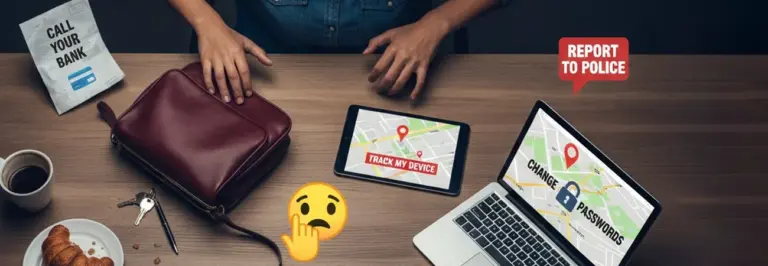







I’ll keep this short: a few weeks ago, I left my shiny S24 Ultra in a taxi. What followed was honestly one of the worst weeks I’ve had in a long time. Not because of the phone itself (although that stung), but because of everything attached to it. My emails, my bank, my photos, my work apps. All of it, suddenly in someone else’s pocket.
Calling support was the first battle, which I had to do though my laptop. After reaching support, they said that the taxi driver claimed he didn’t see anything (an outright lie). Within a week, I had verification codes coming to my WhatsApp account in Chinese. Thankfully, I’d already taken all of the necessary steps to protect myself.
I made a fair few mistakes along the way, so I wanted to write this up properly. If your phone’s ever stolen, or if you’ve just lost your phone and you’re scrambling to figure out what to do next, this should help.

Your best window is the first few minutes. Thieves know this too, which is why they tend to switch phones off or pull the SIM out pretty quickly.
If you’ve got access to another device (a mate’s phone, a laptop, whatever), try to locate your phone straight away.
If the phone’s still on and connected to the internet, you might be able to see where it is. You can also lock it remotely or stick a message on the screen. One thing though: please don’t go chasing after it yourself. People have been hurt doing that. Note the location down and pass it on to the police.
Both Apple and Google let you put your phone into a Lost Mode remotely. This locks the screen, kills Apple Pay or Google Pay, and blocks access to your data. I got mine into Lost Mode roughly 20 minutes after it was taken. Looking back, I wish I’d done it sooner. If you can do it within five minutes, do it within five minutes.

I went to my local station that evening. Honestly, I wasn’t expecting much, and they were upfront that recovery is unlikely. But filing a report gives you a crime reference number, and you’ll need that. Insurance companies ask for it, and some carriers want it too before they’ll block your device.
This is a big one. Ring your mobile provider as soon as you can and tell them your phone’s been stolen. Ask them to block the IMEI. For anyone who doesn’t know, the IMEI is basically your phone’s unique ID number. Once it’s blocked, the handset can’t connect to any mobile network, even if someone sticks a different SIM card in it.

Here’s something I didn’t know at the time: if your phone supports two SIM cards (and a lot of newer phones do), it’ll actually have two separate IMEI numbers. You need to give your carrier both of them. You can usually find your IMEIs on the original box, on your online account with your provider, or on a previous bill. Write them down somewhere safe that isn’t your phone. I’ve got mine saved in a note at home now.
While you’re on the phone to your carrier, get them to cancel your SIM card as well. That stops anyone making calls, sending texts, or burning through your data. Looking for a new SIM? Shop our selection of business SIM only plans here.
Right, this is where it gets tedious but it’s absolutely essential. Think about how many apps you were logged into on your phone. Email, social media, banking, shopping, cloud storage. Every one of those accounts is now at risk.
Start with the important stuff and work down:
Do all of this from a computer or a borrowed device. And use proper strong passwords, not variations of your old ones.
Here’s the bit that caught me out: changing your password doesn’t always boot someone off your account. Loads of services keep sessions active even after a password change. So you need to go in and manually kick out all devices. The main ones to sort out are:
Go to myaccount.google.com, then Security > Your devices > Manage all devices. Find the stolen phone and hit “Sign out.”
Also worth checking Security > Recent security activity to see if anyone’s been poking around.

On Facebook, go to Settings & Privacy > Settings > Security and Login > Where You’re Logged In. Hit “Log out of all sessions.”
For Instagram, it’s Settings > Security > Login Activity, then remove anything that looks wrong. Both can be done from a desktop browser.
Then go through everything else you can think of. X/Twitter, LinkedIn, Spotify, Netflix, Amazon. If you were logged in on your phone, assume you need to sign out remotely.

Alright, so this bit nearly broke me. Two-factor authentication, or 2FA, is brilliant for security. Until your phone gets nicked and you realise half your accounts rely on it to let you in.
Most of my accounts were set up to send a verification code by text. No phone, no SIM, no text. Which meant no code. Which meant I was completely locked out.
Google was the worst by a mile. I tried logging into my account from my laptop, and it asked me to verify my identity. Fair enough. Except the only option it gave me was to send a code to my phone number. The phone number I no longer had access to.

There was no “try another method” button that actually worked. Every time I clicked it, all of the options were still mobile only. No prompt for a backup email. No recovery code option. Just the same screen, over and over, telling me to check my phone. I genuinely spent hours going round in circles trying to find another way in.
In the end? There wasn’t one. I had to wait for my carrier to send me a replacement SIM with my old number on it, which took the best part of a week. Nearly six full days without access to Gmail, Google Drive, Google Photos, or anything connected to my Google account. It was honestly maddening.
Please learn from my mistake here. Go and do this today:
My stomach dropped when I thought about my banking apps. If you’ve got any kind of financial app on your phone, or card details saved anywhere, you need to sort this out fast.

I got lucky. My banking app needed Face ID to open, so nobody got in. But I’ve heard plenty of stories where people weren’t so fortunate. Don’t leave it to chance.
This is the one that really kept me up at night. Have a think about what photos you’ve got saved on your phone. Specifically: have you ever taken a picture of your bank card? Your passport? Your driving licence?
I had. There was a photo of my passport in my camera roll from when I’d booked a holiday, and a snap of my driving licence from a flat rental application a while back. Both now potentially sitting on a stolen phone.
If you’re in the same boat:
Identity theft is one of those things you think won’t happen to you. But all it takes is a photo of the right document in the wrong hands.

I spent a lot of time wondering about this afterwards. It actually helped me understand why each step above matters so much.
Most phone thieves aren’t criminal masterminds sitting in a dark room trying to hack your email. The reality is a bit more mundane:
That’s why blocking the IMEI and wiping the phone remotely matters so much. And it’s why locking down your accounts isn’t optional. You’re not just protecting a handset. You’re protecting everything that’s connected to it.
Going through all of this has properly changed how I think about my phone. Here’s what I’ve sorted out since:
This is the single biggest thing I’d recommend. On iPhone, it’s part of Apple’s Find My network. It uses Bluetooth signals from other nearby Apple devices to locate your phone even when it’s not connected to Wi-Fi or mobile data. Android has something similar through Google’s Find My Device network. So even if a thief turns the data off, there’s still a decent chance of tracking the phone.
I’ll hold my hands up: I didn’t have insurance when this happened. Replacing the phone cost me a painful amount of money and the whole thing could’ve been so much easier if I’d been covered. If you’re reading this without insurance, sort it out. It’s only a few quid a month and most policies cover theft, accidental damage, and loss. Some business mobile contracts come with insurance included, so it’s worth checking with your provider.
At BusinessMobiles.com, we can help you find business mobile deals with proper cover built in, so you’re sorted from day one.

Look, having my phone stolen was rubbish. There’s no sugarcoating it. But it did force me to actually sit down and think about how much of my life runs through that one little device, and how completely unprepared I was to deal with losing it.
If this article helps even one person avoid the panic and scramble I went through, then it was worth writing. And if nothing else, please just take five minutes today to check your security settings. Future you will be grateful.
And lastly, of course, it’s time to get a new phone! See our range of business mobile phones here and start saving! Unsure what to choose? See our list of the best phones for business here.